
Digital Modes · MeshCore
MeshCore
Off-grid text messaging for Cherokee ARES. Small LoRa radios on the 910 MHz ISM band pass short messages from node to node and through repeaters — no internet, cell towers or repeater needed. It gives us a backup path for short tactical traffic when everything else is down.
Bookmark this page. Everything about MeshCore now lives here — the manual, Appendix C and
set-up help. From any page: menu Digital Modes → MeshCore.
📄 Documents
MeshCore Operations Manual (Draft)
Cherokee ARES Part 13: node set-up, channels, net procedures and troubleshooting.
Appendix C – Member Contacts
Cherokee ARES members whose nodes have been seen on MeshCore. Check that your node is listed.
Open Appendix C (PDF)
Updated 14 Nov 2026
Training Brief – 14 Nov 2026
SET 2026 After-Action review and Cherokee MeshCore Implementation (meeting slide deck).
Appendix B (the private Cherokee ARES channel key) is shared with members through Groups.IO only — never on this website.
🚀 Get on the mesh
- Get a MeshCore radio and load the Companion firmware with the MeshCore web flasher (Chrome or Edge, USB cable).
- Install the MeshCore app on your phone (or use app.meshcore.nz in a browser) and connect to your radio.
- Name your node: your callsign, a two-digit number, a space and your first name — for example
W1JKU-01 Rob. A second device is-02, and so on. - Radio settings: preset Canada, USA (Recommended) — 910.525 MHz, 62.5 kHz, SF 7, CR 5.
- Add our channels (below): the public
#wx4car-cherokeeand, for members, the private Cherokee ARES channel from Appendix B. - Send a Flood Advert so others can see you, then check that your node shows up in Appendix C.
Need hands-on help? Contact W1JKU or KD4KHO, or bring your radio to a meeting.
💬 Our channels
| Channel | Who | How to add it |
|---|---|---|
#wx4car-cherokee | Open to everyone: amateur radio talk in Cherokee County and around | Menu → Add Channel → enter #wx4car-cherokee (with the #), or scan the QR code below |
| Cherokee ARES | Cherokee ARES members (private) | Scan the QR code in Appendix B (from Groups.IO) or enter its key |
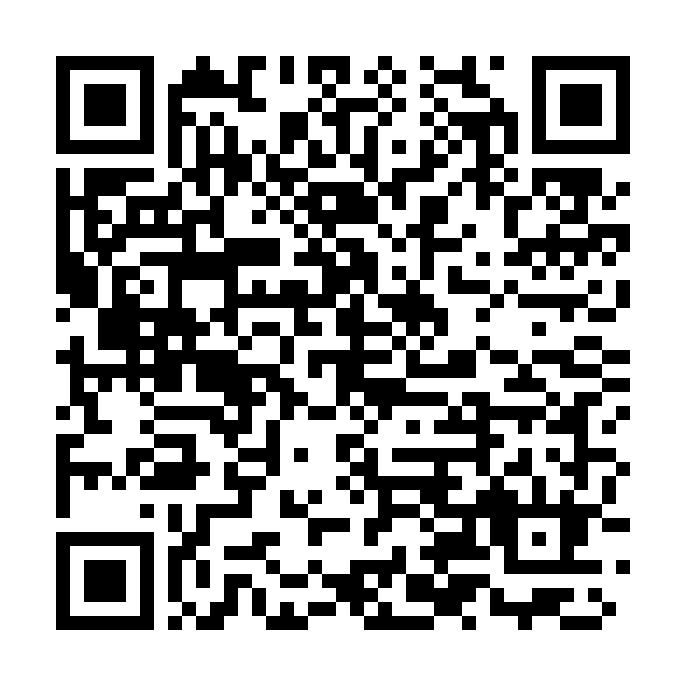
#wx4car-cherokee
In the MeshCore app: Menu → Add Channel → Scan QR Code.
In the MeshCore app: Menu → Add Channel → Scan QR Code.
🔗 MeshCore links
- meshcore.io — the MeshCore project
- MeshCore map — see nodes and repeaters around Cherokee County
- MeshCore FAQ — common questions
- Radio presets — the regional radio settings
Feedback or questions: W1JKU@arrl.net
